step 1Pick
Start from a photo, a ticket or a thought.
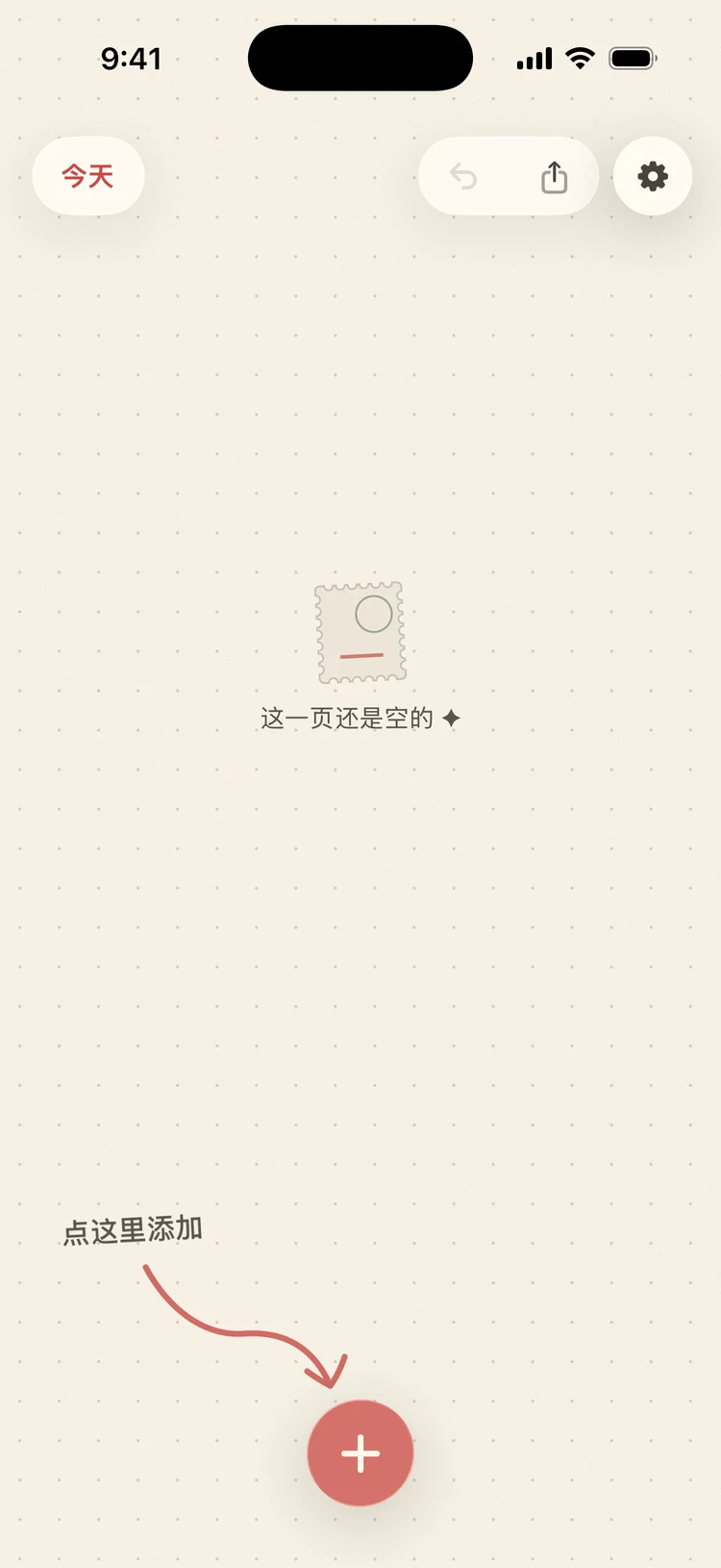
Tap + for the camera, up to nine photos from your library, built-in stickers, a line of text or an emoji. Peelday only ever reads the photos you pick.
 PeeldayOn the App Store
A diary for the little things. Snap a photo or a ticket stub and Peelday turns it into a sticker right on your iPhone — then you lay the day out by hand on dotted paper. No account, no feed, no one else looking.
iPhone · iOS 18 or later · Free to start
Why Peelday?
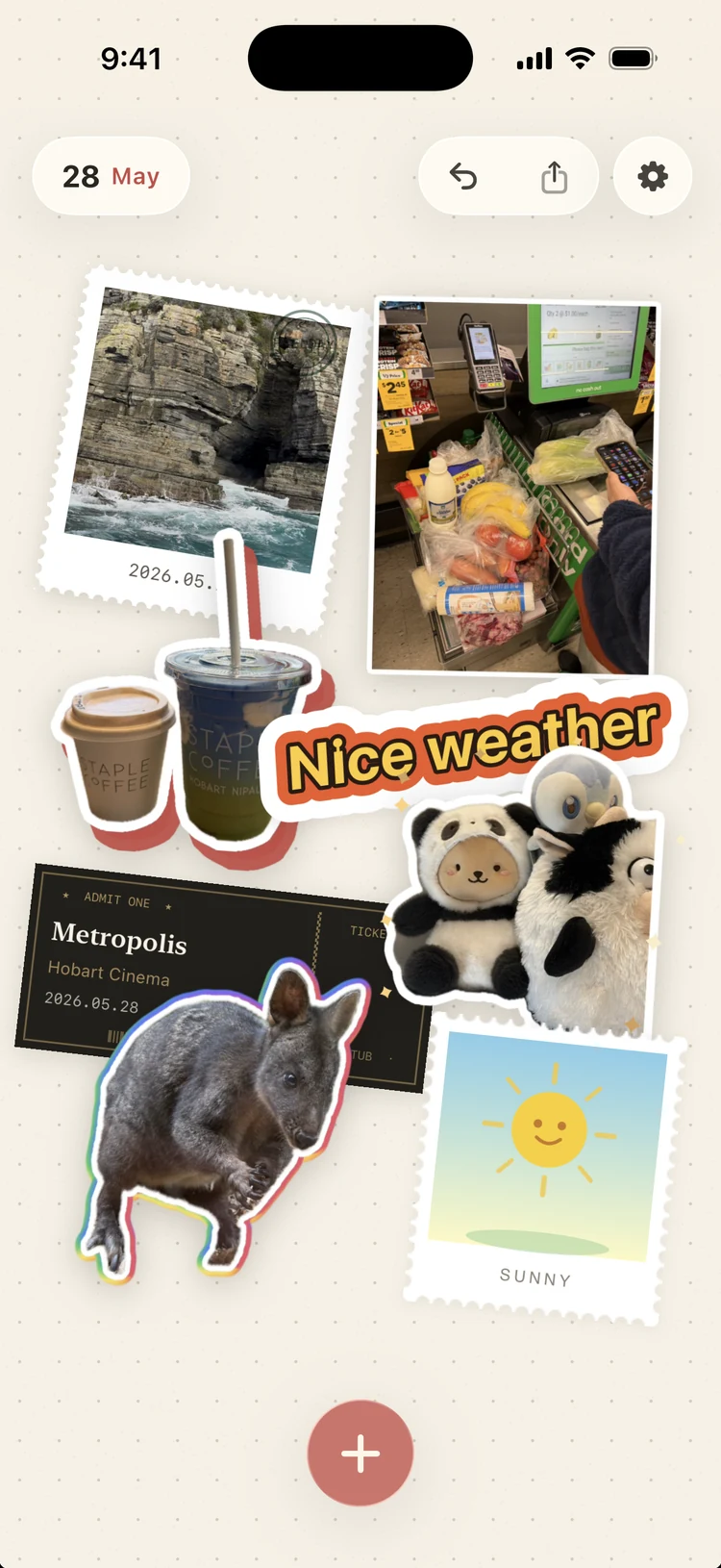
Your camera roll keeps everything and remembers nothing. Peelday keeps the few things you chose — the ticket stub, the coffee, the weather, a line you wrote — on the one page that belongs to that day, so a year from now you can still open it.
step 1Pick
Tap + for the camera, up to nine photos from your library, built-in stickers, a line of text or an emoji. Peelday only ever reads the photos you pick.
step 2Style
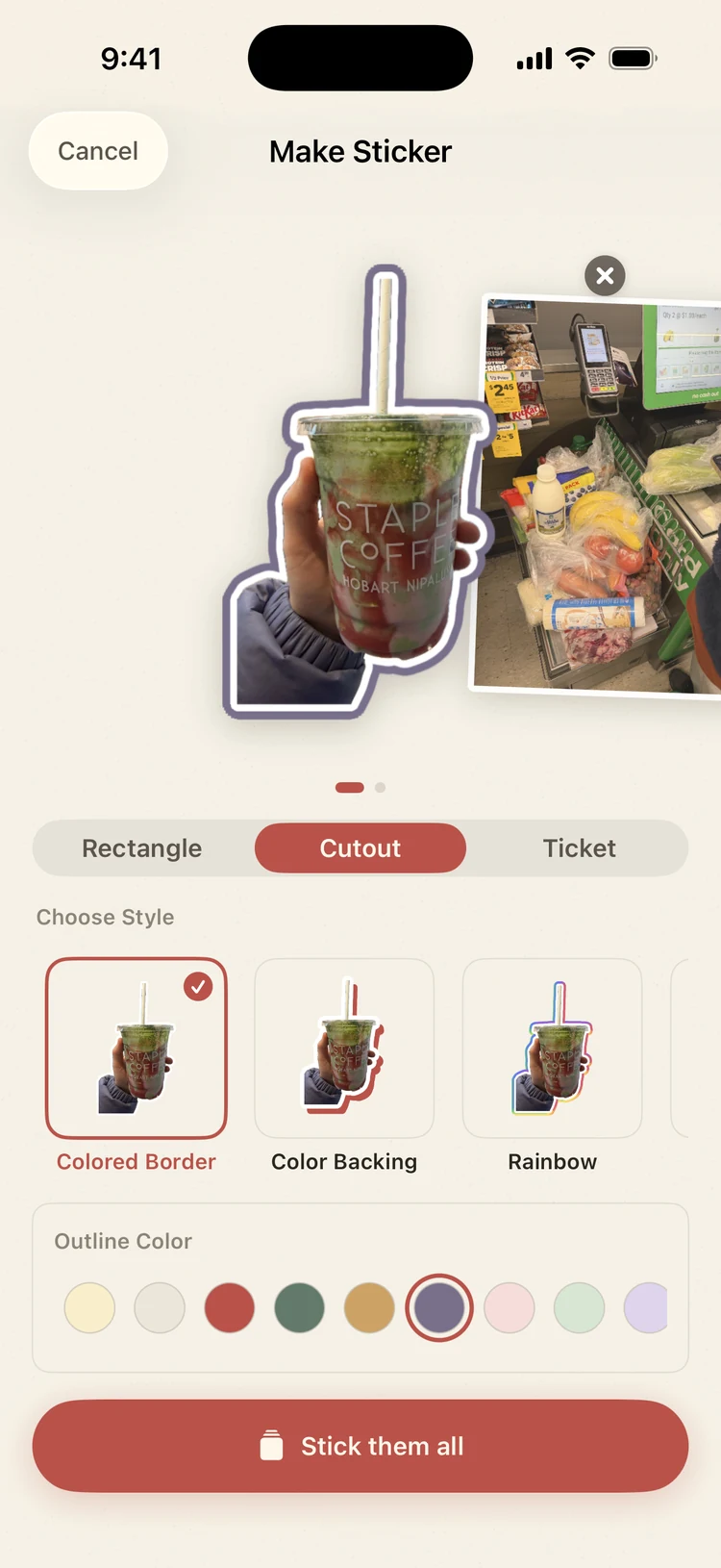
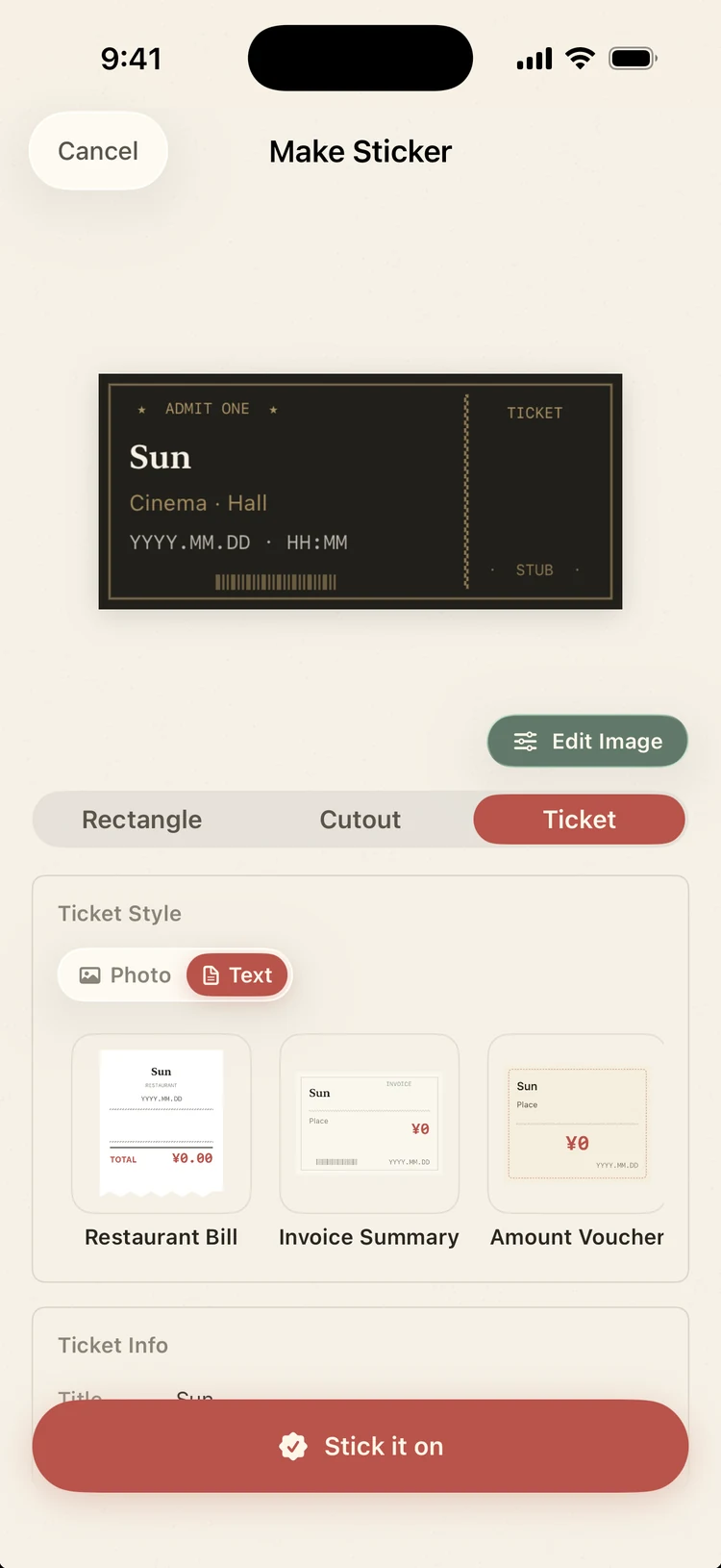
Choose Rectangle, Cutout or Ticket, then a postage stamp, photo frame, colored border, rainbow, neon or flair. Add a batch, give each photo its look, and stick them all at once.
step 3Read
Photograph a cinema, gig or museum ticket and Peelday reads it on your iPhone: the title, venue and date land on a ticket card, ready to edit. No ticket? Write one by hand.
step 4Place
Drag, rotate and layer stickers on dotted paper. Add a weather stamp, undo a step, or drop a photo straight in from another app.
Styles & stickers
Every photo can become a stamp, a framed print or a cutout with its own edge. Add a weather stamp or a pressed flower — and with Pro, stamps from 32 countries.
Calendar & search
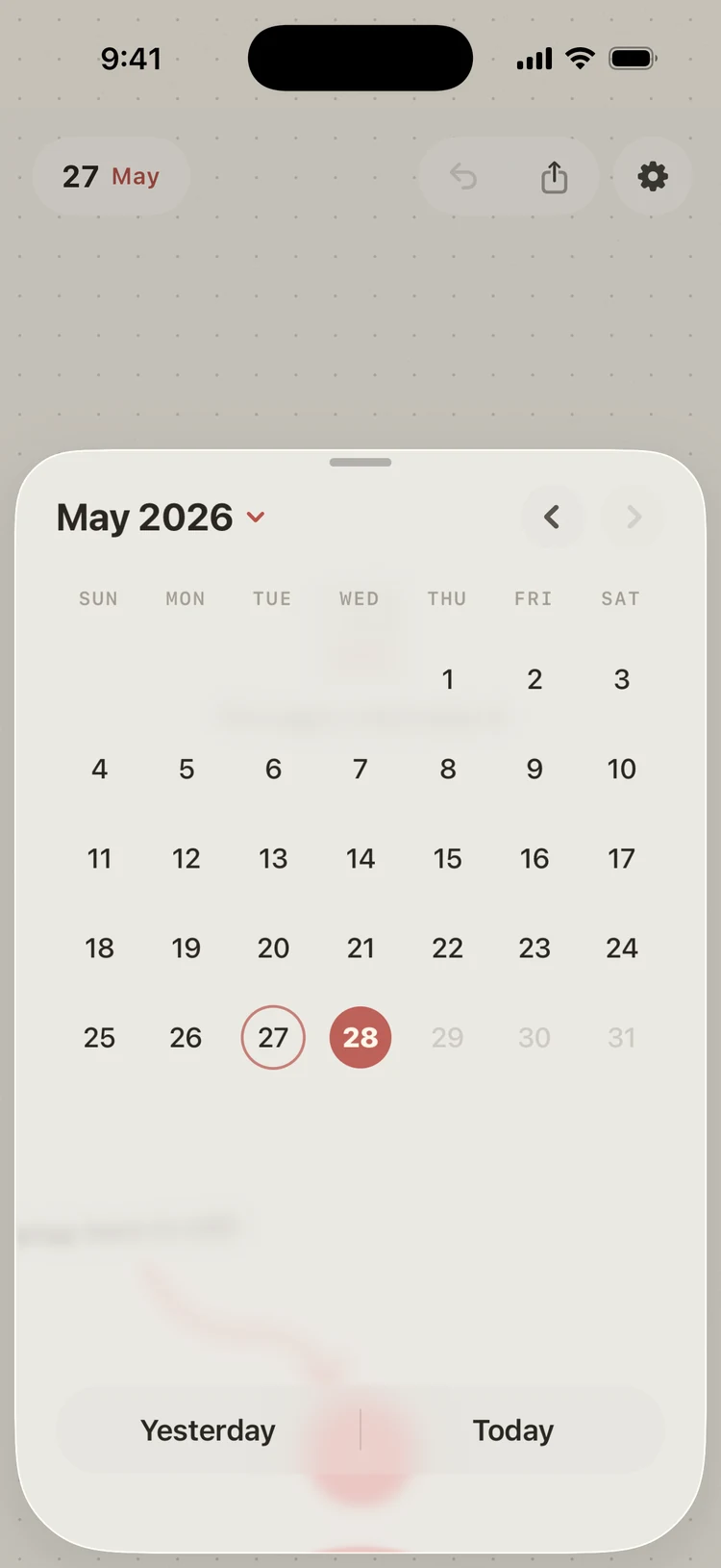
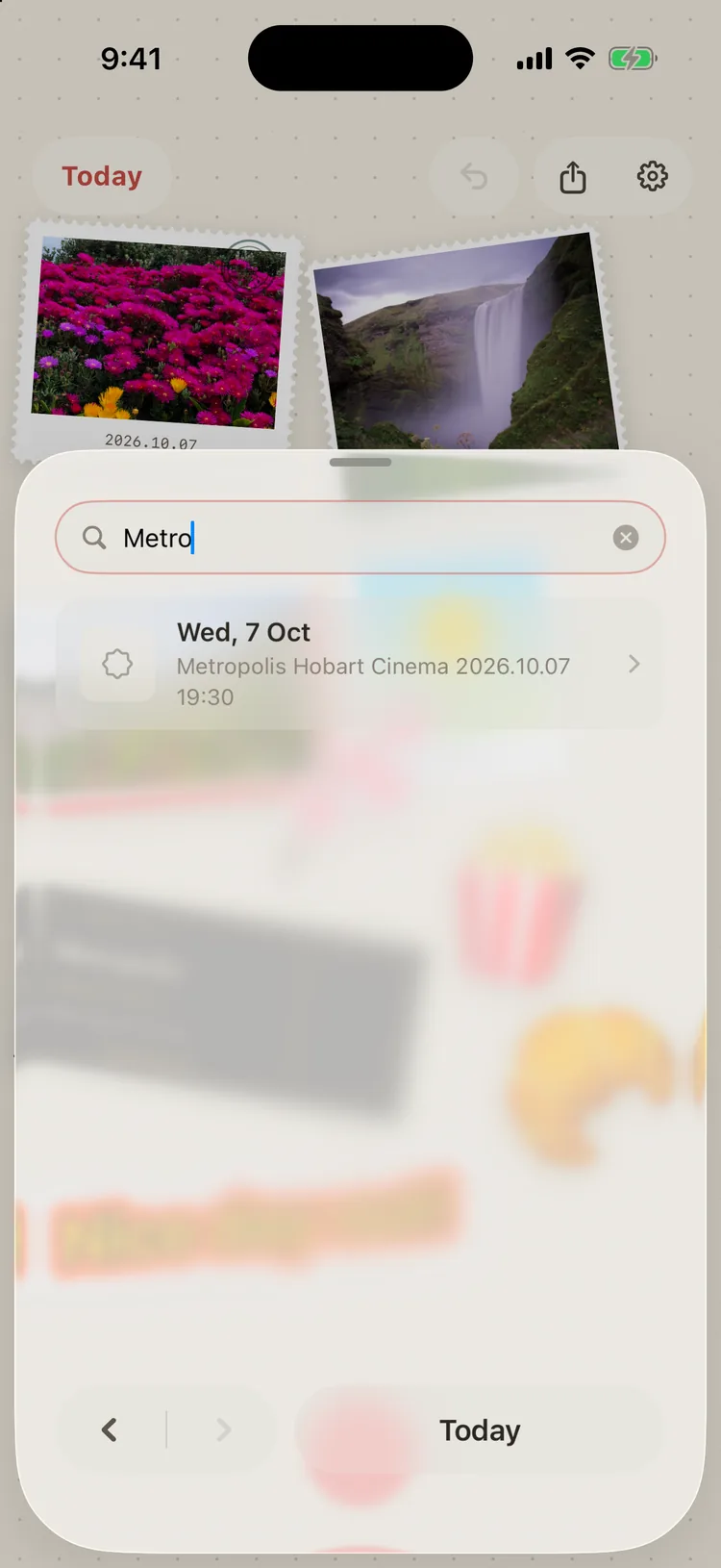
Tap the date to see the month — every day with stickers carries a small dot. Or just search: ticket text, card fields and text stickers are indexed on your iPhone, so “Metropolis” finds the night you saw it.
Reopen any past day and keep adding to it.
Ticket text, card fields and text stickers, matched on device.
Deleted stickers wait 30 days before they're gone.
Home Screen & Lock Screen
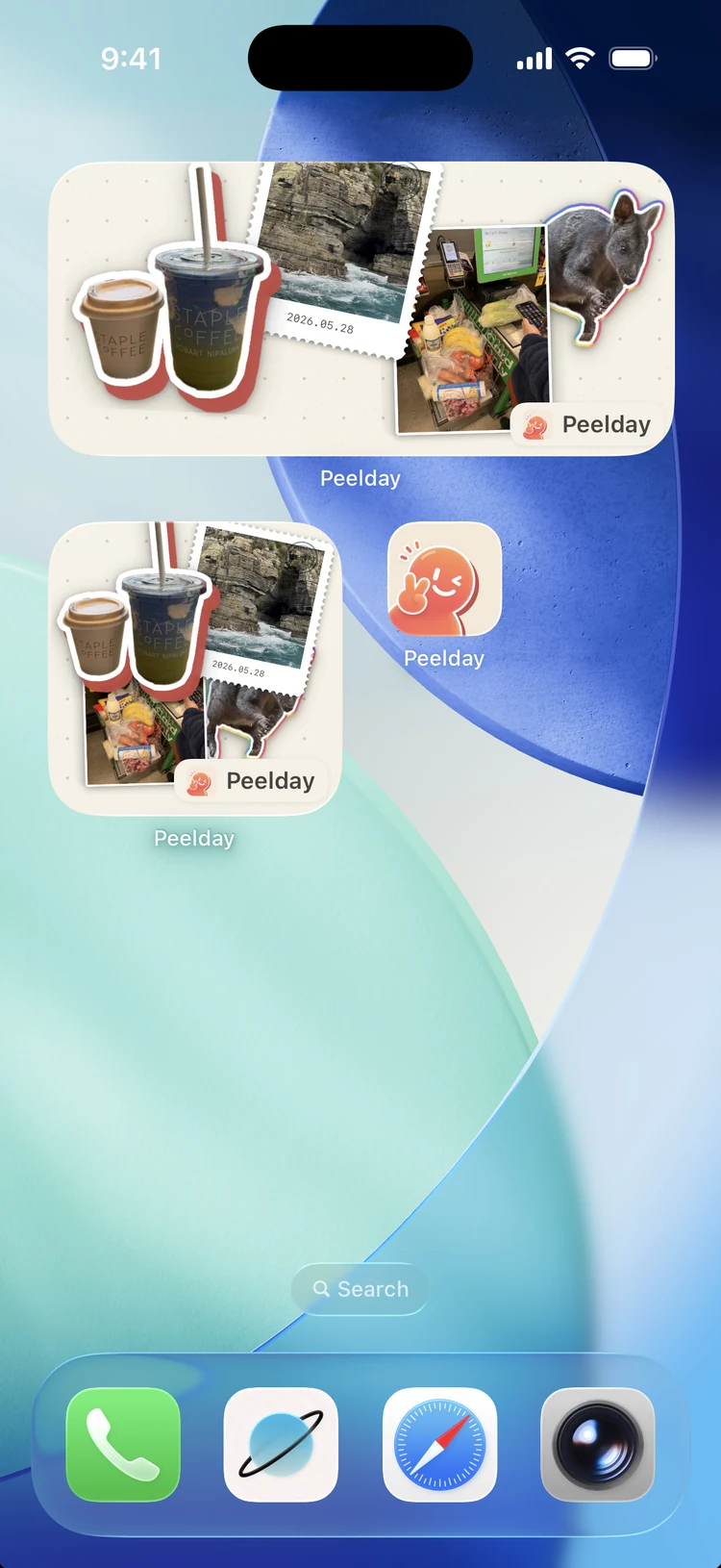
Add Today's Stub and the latest stickers from today sit among your apps; tap it to land straight on today's page. A diary only works if it's easy to reach.
Private by default
Peelday has no account system and no server holding your pages. Cutouts and ticket reading run on your iPhone, and the app only ever sees the photos you pick.
Pricing
Everything you need for a page a day is free. Peelday Pro is a single purchase — never a subscription.
Everything for a page a day
Free
The full catalog, sync and sharing
One-timelifetime unlock
The price is shown in the App Store for your region. Restore Purchases lives in Settings.
No. There's nothing to sign up for or sign in to — open the app and start today's page.
No. Cutouts and ticket reading run on your iPhone, and Peelday only reads the photos you pick — never the rest of your library.
Yes. Making and browsing pages needs no connection; only iCloud sync and purchases do.
Your pages and sticker images are part of your iPhone backup, so restoring it brings them along. With Pro you can also turn on iCloud sync.
Yes. Deleted stickers stay recoverable for 30 days.
iPhone with iOS 18 or later. Peelday speaks English, Simplified and Traditional Chinese, Japanese, Korean, French, German and Spanish.
Every premium style and color variant, country stickers and the full built-in catalog, iCloud sync, sharing single stickers, lined and plain paper, and Family Sharing — for one purchase.
Free on the App Store for iPhone. One page a day is enough.